
 FA+
FA+ Shop
Shop


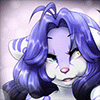
Another one of my icons I had made in the past :) Enjoy :)
Dropbox:
--->Action File<---
--->Photoshop Image File<---
no © needed, just send people this was if they ask about the icon :)
How to use a Photoshop action:
~Please note: When using the action, make sure you only have the background and
set 1 visible before playing the action. Having other layers visible will cause
the action to make those frames blank.
~Open Photoshop, there should be an action window at the right.
~If not, you can open it in the "window" menu at the top.
~Just drag and drop the file on top of the action window. :)
~You should now see the folder Animation and the action Animate Epic Hair.
~Click on the action and hit play at the bottom of the action menu.
To animate it on your own:
~ Crate 9 frames in the timeline.
~ Each Set Layer number corresponds to the frame number. So "Set 5" goes on "Frame 5".
~ Now select all the frames and make these frames 0.1 Sec.
~ Lastly, make the animations cycle play "Forever". :)
All done and hit play :) To save it use. "Save For Web"
FAQ:
1. Cell shading and simplicity is key! :)
when saving the animation, make sure your icon doesn't involve too may complex
shading areas or backgrounds as you will have to save the .gif below 50kb.
2. You can still commission me for the icons:
If you can't make the icon for yourself, I can do it for 15 to 25 dollars,
depending on how complex the character is and which icon I'm doing.
3. You may use this template for commissions:
As long as you let people know that they can do it for free using the template
and that they are only paying you for your time to make the template look
like their character.
If you have a question just ask so I can add them here :)
~~~~~~~~~~~~~~~~~~~~~~~~~~~~~~~
Other Free Template:
Dancing: http://www.furaffinity.net/view/19129208/
Epic Hair: http://www.furaffinity.net/view/19164907/
Wiggle: http://www.furaffinity.net/view/19298946/
Dropbox:
--->Action File<---
--->Photoshop Image File<---
no © needed, just send people this was if they ask about the icon :)
How to use a Photoshop action:
~Please note: When using the action, make sure you only have the background and
set 1 visible before playing the action. Having other layers visible will cause
the action to make those frames blank.
~Open Photoshop, there should be an action window at the right.
~If not, you can open it in the "window" menu at the top.
~Just drag and drop the file on top of the action window. :)
~You should now see the folder Animation and the action Animate Epic Hair.
~Click on the action and hit play at the bottom of the action menu.
To animate it on your own:
~ Crate 9 frames in the timeline.
~ Each Set Layer number corresponds to the frame number. So "Set 5" goes on "Frame 5".
~ Now select all the frames and make these frames 0.1 Sec.
~ Lastly, make the animations cycle play "Forever". :)
All done and hit play :) To save it use. "Save For Web"
FAQ:
1. Cell shading and simplicity is key! :)
when saving the animation, make sure your icon doesn't involve too may complex
shading areas or backgrounds as you will have to save the .gif below 50kb.
2. You can still commission me for the icons:
If you can't make the icon for yourself, I can do it for 15 to 25 dollars,
depending on how complex the character is and which icon I'm doing.
3. You may use this template for commissions:
As long as you let people know that they can do it for free using the template
and that they are only paying you for your time to make the template look
like their character.
If you have a question just ask so I can add them here :)
~~~~~~~~~~~~~~~~~~~~~~~~~~~~~~~
Other Free Template:
Dancing: http://www.furaffinity.net/view/19129208/
Epic Hair: http://www.furaffinity.net/view/19164907/
Wiggle: http://www.furaffinity.net/view/19298946/
Category Icons / All
Species Unspecified / Any
Size 600 x 600px
File Size 97.6 kB
Listed in Folders




sure my dear :) just have to draw either Star and Comet with at least flatcolor and I'll make one for you. Just let me know with character I'm going :)

http://www.furaffinity.net/view/19154034/ with like a stary bg :) il start now


Anyone willing to add the mane to my wolf? For this animation ;-; it's jut a jet black fluffy mane
http://www.furaffinity.net/view/20451498/
http://www.furaffinity.net/view/20451498/

Used! <3 It is a super adorable base, and easy to use in Paint Tool SAI, and Medibang Paint Pro.
https://www.furiffic.com/MadMadameF.....ZGyCbYuQheUI~0
I hope it's okay that the character is a feline
https://www.furiffic.com/MadMadameF.....ZGyCbYuQheUI~0
I hope it's okay that the character is a feline

Just wondering, how did you get it to animate after you colored the frames in Medibang Paint Pro? I currently only have Medibang Paint (the free version) so I was wondering if it has any extras for animating in the pro version that helped you out with that or not.
Thank you so much for your help! :3
I was confused since most just refer to it as MediBang Paint for short, so I was unaware if I had the pro version or not. In fact I might have the pro now that you mention that it is free.. However I probably can't use this base until later since I sadly don't have a computer to use GIMP on. That and my only digital device that I can do digital art on is a mobile tablet.
I was confused since most just refer to it as MediBang Paint for short, so I was unaware if I had the pro version or not. In fact I might have the pro now that you mention that it is free.. However I probably can't use this base until later since I sadly don't have a computer to use GIMP on. That and my only digital device that I can do digital art on is a mobile tablet.


Comments